
Next-Gen AI Performance Is Here – Pre-Order the New MINIX AI PC Today!
$219.00
Ships in 1-2 days
1 in stock
Share :
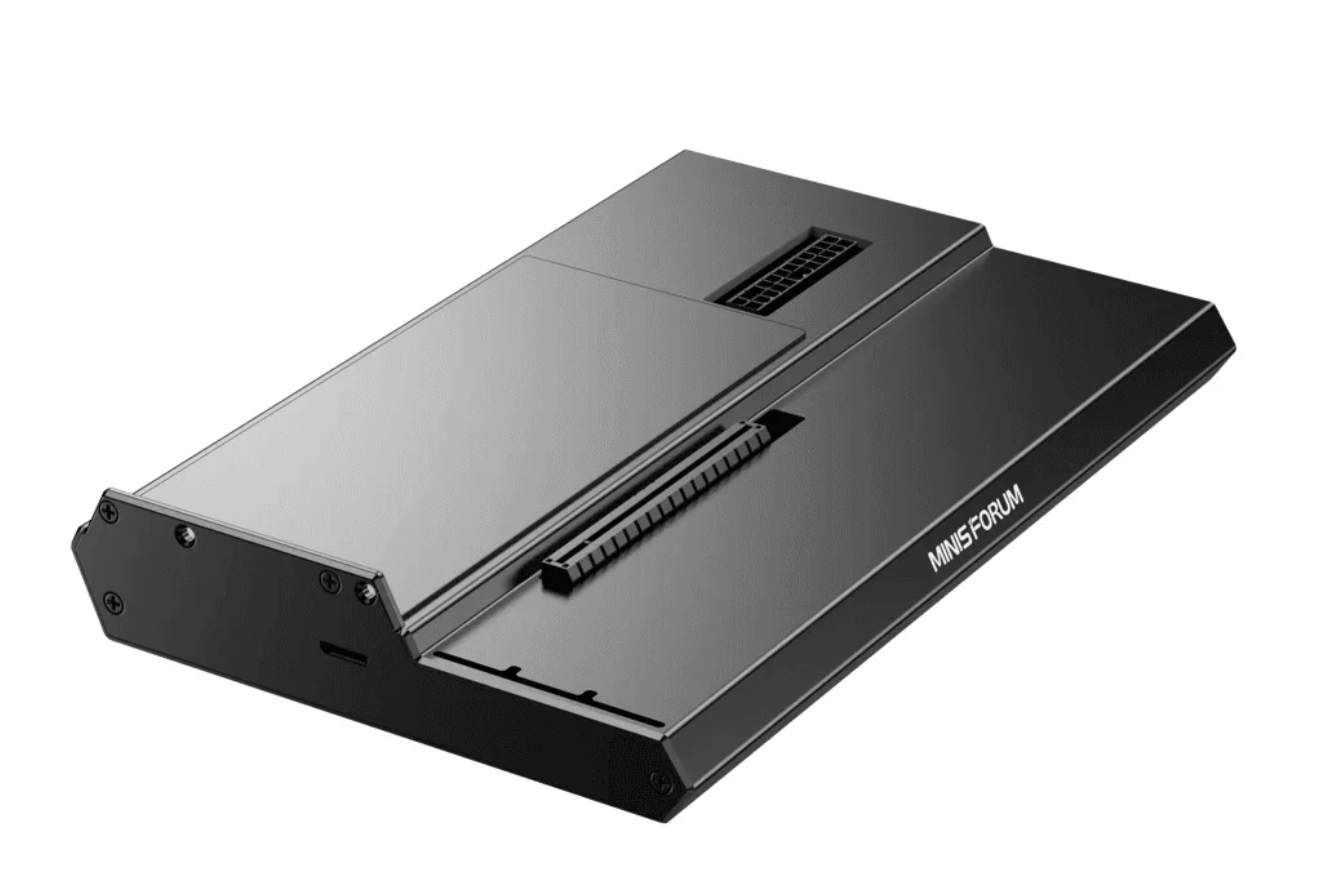
Transform your compatible Mini PC into a powerful gaming, content creation or AI workstation with the MINISFORUM DEG1 eGPU Dock.
Designed around a high-speed OCuLink PCIe 4.0 ×4 connection, the DEG1 allows you to connect a full-size desktop NVIDIA or AMD graphics card to a compatible Mini PC. With up to 64 GT/s PCIe transfer capability, it provides a direct high-bandwidth connection to the GPU, making it an excellent option for users who need significantly more graphics or compute performance than integrated graphics can provide.
Whether you are gaming, editing high-resolution video, working with 3D applications or running GPU-accelerated AI workloads, the DEG1 gives you the flexibility to choose and upgrade your own desktop graphics card.
The DEG1 connects to compatible computers through OCuLink 4i using PCIe 4.0 ×4, supporting transfer rates of up to 64 GT/s.
Unlike conventional USB-based external graphics solutions, OCuLink provides a direct PCIe connection designed for high-performance external GPU applications.
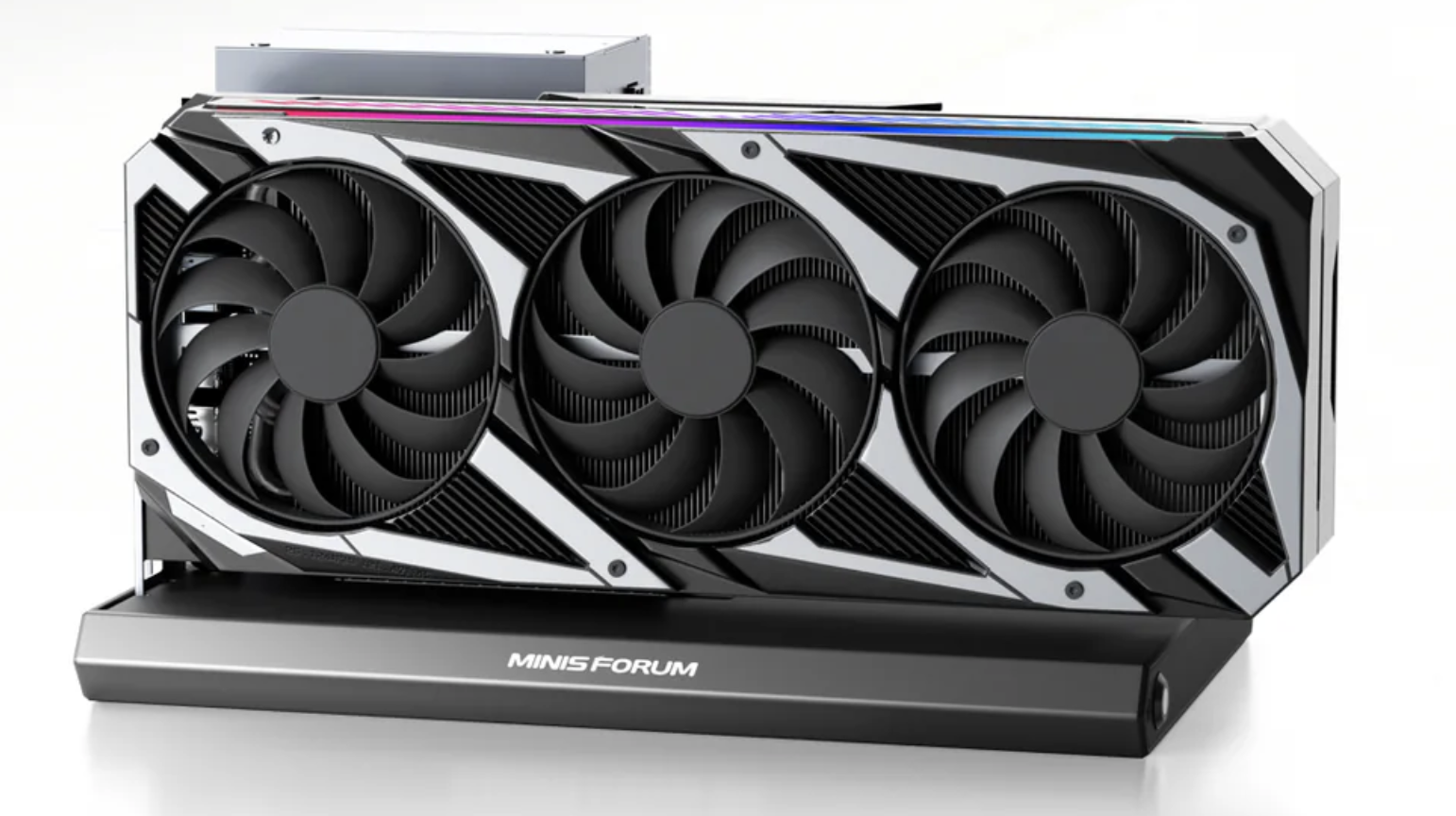
Install a compatible desktop NVIDIA or AMD graphics card and dramatically expand the graphical and compute capabilities of your Mini PC.
The DEG1 is officially designed to support high-performance graphics cards including models up to the NVIDIA GeForce RTX 4090 and AMD Radeon RX 7900 XTX.
This makes it suitable for:
Unlike external graphics solutions with permanently integrated mobile GPUs, the DEG1 lets you install your own compatible desktop graphics card.
Upgrade or replace the GPU as your performance requirements change without replacing the entire eGPU dock.
The DEG1 supports standard ATX and SFX desktop power supplies, allowing you to select a PSU appropriate for your chosen graphics card.
Simply choose a suitable power supply based on the GPU manufacturer’s recommended power requirements.
Please note: Graphics card and power supply are not included.
The open-platform design accommodates a wide range of desktop graphics cards and provides unrestricted airflow around the GPU.
Its compact base measures approximately 270 × 175 × 41 mm, making it an efficient way to add desktop-class GPU capability without moving to a conventional full-size PC chassis.
Graphics card and ATX/SFX power supply are not included.
The DEG1 requires a computer with a compatible OCuLink interface.
The DEG1 does not connect via Thunderbolt or USB4.
OCuLink also does not support hot plugging. The Mini PC and eGPU system should be powered off before connecting or disconnecting the OCuLink cable.
Compatibility should be confirmed before purchase, particularly when using the DEG1 with non-MINISFORUM computers.
For AI developers and power users, the DEG1 provides a practical way to add a powerful discrete GPU to an OCuLink-equipped Mini PC.
While modern AI PCs may include an integrated NPU and GPU for local AI processing, a desktop NVIDIA or AMD GPU can provide substantially greater compute resources for workloads such as:
This gives you the compact footprint of a Mini PC with the ability to access desktop-class GPU performance when required.
The MINISFORUM DEG1 eGPU Dock is a simple and flexible way to turn an OCuLink-equipped Mini PC into a significantly more capable gaming, creative or AI workstation.
Choose the graphics card and power supply that suit your workload today, then upgrade them later as your requirements evolve.
| Product Type |
| |
| Host Interface |
| |
| Host Connection |
| |
| Maximum Transfer Rate |
| |
| GPU Interface |
| |
| GPU Support |
| |
| Official High-End GPU Support |
| |
| Power Supply Support |
| |
| Board Power Input |
| |
| Power Button |
| |
| Dimensions |
| |
| Connection Type |
|
MegaTech Store Australia products are covered by the applicable manufacturer’s warranty and the consumer guarantees provided under the Australian Consumer Law (ACL).
If your product is faulty, defective, unsafe, does not match its description, or otherwise fails to meet an applicable consumer guarantee, you may be entitled to a repair, replacement or refund depending on the nature of the problem and your rights under the ACL.
Products that appear faulty on arrival should be reported as soon as possible. Any DOA or manufacturer’s warranty period is in addition to, and does not limit, your rights under the Australian Consumer Law.
For warranty assistance, please contact warranty@megatechstore.com.au with your proof of purchase and details of the issue.
For complete warranty coverage, exclusions and claim procedures, please refer to our Warranty Policy.
MegaTech Store Australia accepts returns where required under the Australian Consumer Law (ACL).
If you receive an incorrect or damaged product, or your product otherwise qualifies for a return under the ACL, please contact us as soon as possible for return instructions.
We do not generally accept returns, exchanges or refunds for change of mind, incorrect product selection, or where a product is found cheaper elsewhere.
Before returning any product, please contact warranty@megatechstore.com.au for assistance and return instructions.
Nothing in this policy excludes, restricts or modifies your rights under the Australian Consumer Law.
For complete return conditions and procedures, please refer to our Return Policy.
Prices of consumer electronics and computer components may fluctuate due to market conditions, exchange rates, supplier pricing and product availability.
The price applicable to your order is the price confirmed at the time of payment. MegaTech Store Australia does not offer price protection, credits or refunds for price reductions occurring after purchase.
In the event of a genuine pricing, system or supplier-feed error, or a material change in supplier availability identified before dispatch, we will contact you as soon as reasonably practicable. Where we are unable to fulfil the order as confirmed, we may offer an alternative product or configuration, or a full refund for the affected item.
All pricing is subject to E&OE (Errors and Omissions Excepted).
Nothing in this section excludes, restricts or modifies any rights or remedies available to you under the Australian Consumer Law.
All purchases from MegaTech Store Australia are subject to our Terms and Conditions, including provisions relating to pricing, product availability, supplier allocation, shipping, warranties, returns and Australian Consumer Law.
You must be logged in to post a review.
Reviews
There are no reviews yet.